How to Install the Dr. Muscle Web App on Your Phone
Add Dr. Muscle to your iPhone or Android Home Screen with this quick guide
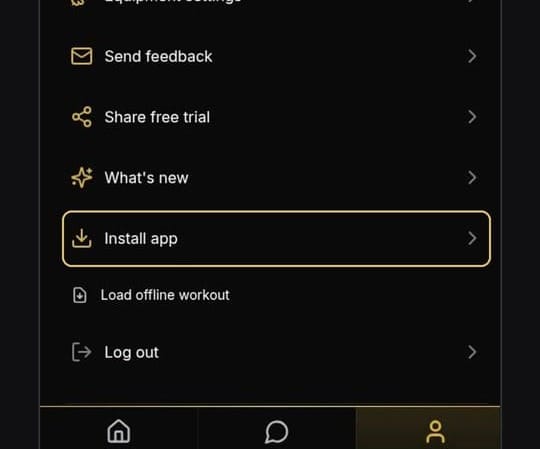
Here’s a quick video showing you how to install the Dr. Muscle web app:
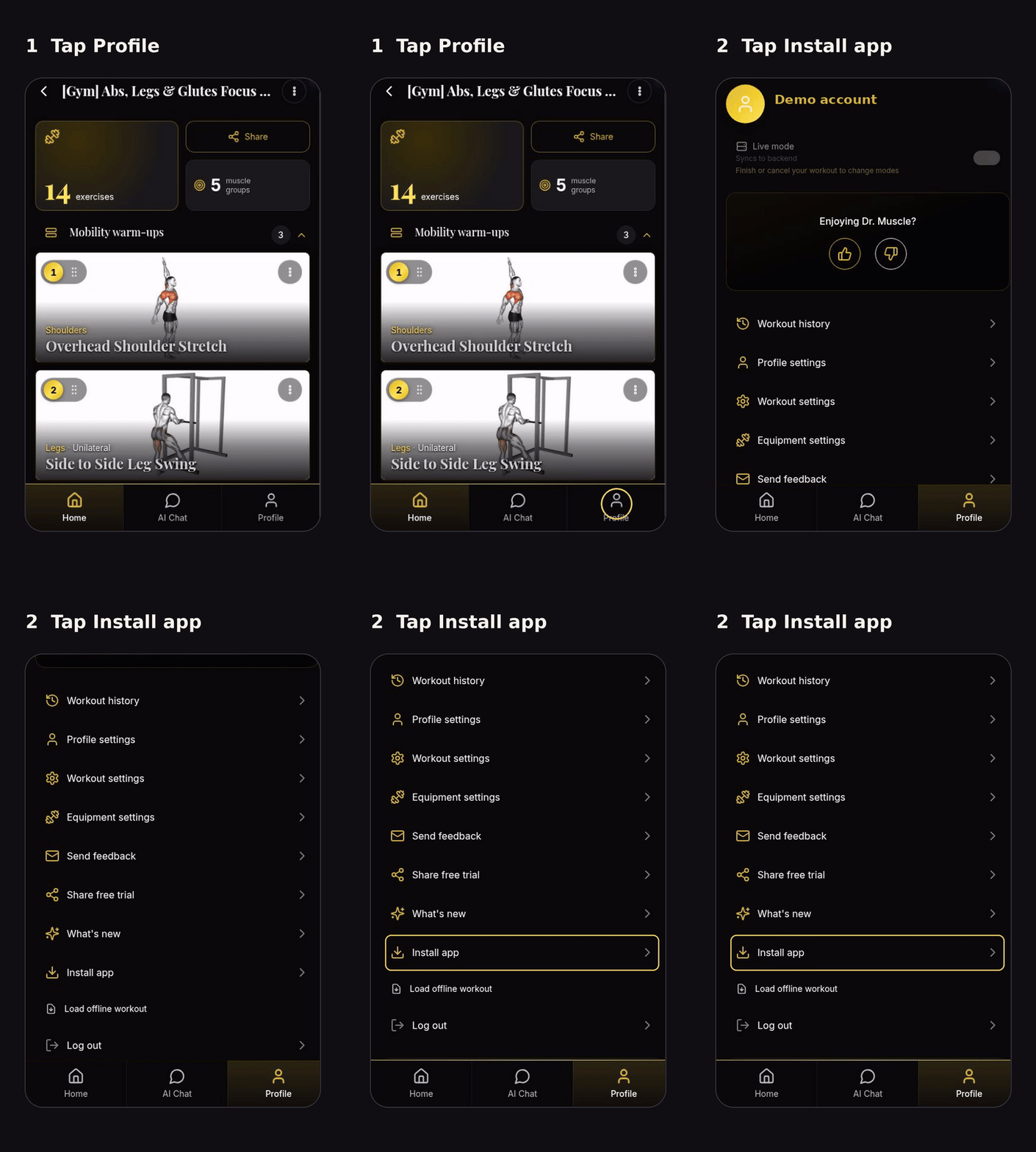
Installing the Web App Step by Step
- Open Dr. Muscle X and sign in
- Tap Profile in the bottom-right corner:
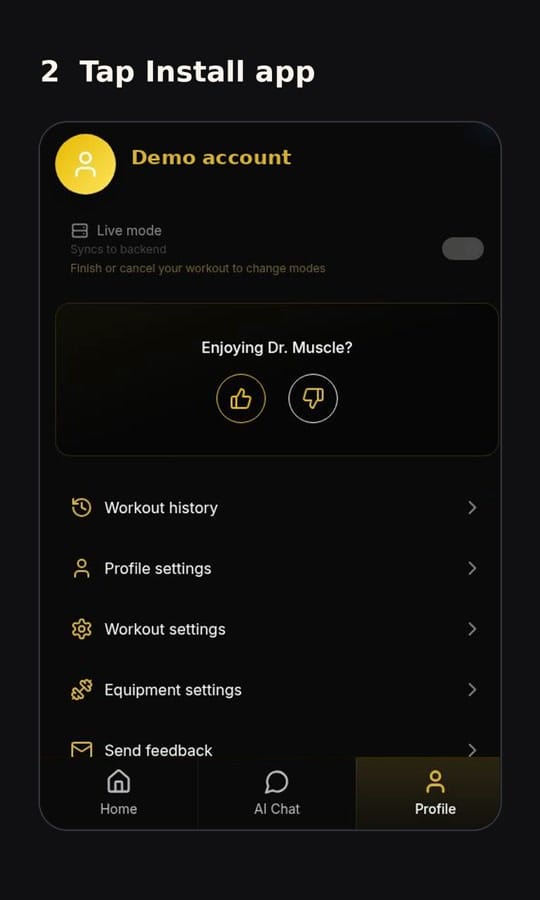
- Scroll down and tap Install app:
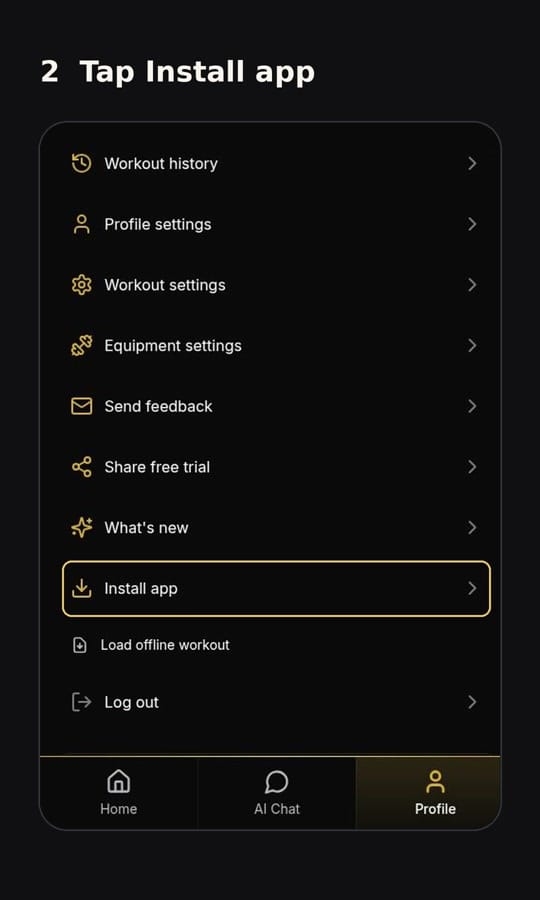
Finish on Your Phone
Android: confirm Install when your browser asks.
iPhone: tap Safari’s Share button, choose Add to Home Screen, then tap Add. If you see Open as Web App, leave it switched on.
That’s it. Open Dr. Muscle from its new Home Screen icon when you’re ready to train.
Don’t see Install app? Check whether the app is already installed. If you opened the link inside another app, open it in Safari or Chrome instead.