New in Dr. Muscle X in 2026: See Your Progress, Know Your Next Move
A closer look at the web app’s new workout experience, plus a preview of the redesigned Home and progress reviews
Home/reviews: Coming next · Preview. Aditya Oberai, Bench Press.jpg, Wikimedia Commons, CC BY-SA 4.0 (app-resized attachment) Source, CC BY-SA 4.0

You put in the work. Your app should make it easier to see what changed, remember your setup, and get ready for the next set.
Over the past month, we’ve been improving the Dr. Muscle web app around those everyday moments. After a lift, you want to understand how you did. Between sets, you want to know what’s next. When you return to a machine, you want the setup that worked last time close at hand.
Here’s a closer look at those updates, plus the redesigned Home and progress reviews we’re developing next.
In a Nutshell
- See your progress after an exercise and across a complete workout.
- Use a clearer rest screen with your next set and plate changes.
- Keep exercise notes and a setup photo close at hand.
- Preview the redesigned Home and weekly-to-annual progress reviews.
The redesigned Home and period reviews shown below are previews of what we’re developing next.
See Your Progress Where You Train
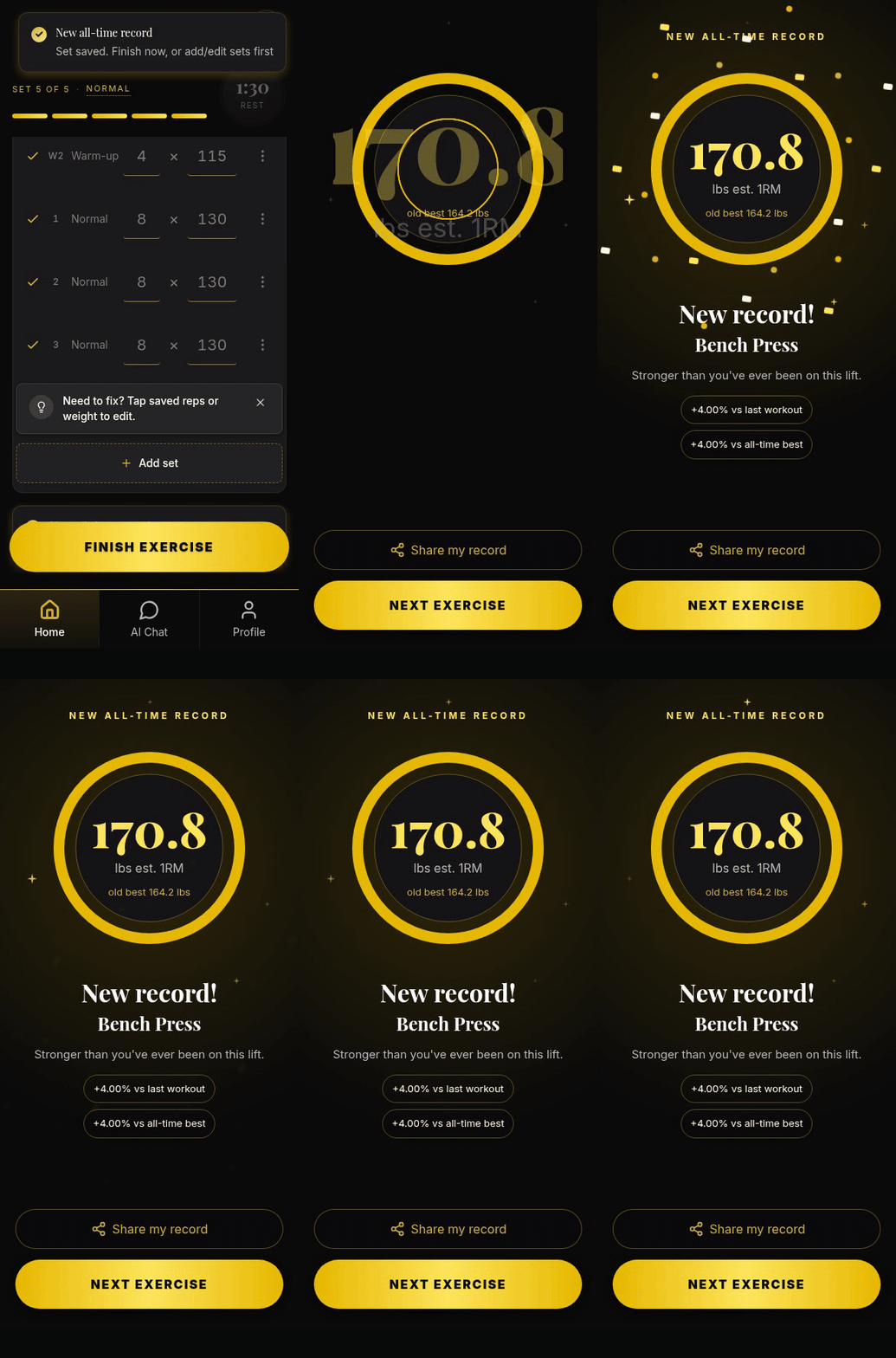
How did today’s lift compare with last time? The exercise summary puts that question right in front of you after you finish the exercise. You can compare the session with your last workout, explore your strength history, and see a new record when you earn one.
A single workout is one point in your training history. Seeing it alongside your earlier results gives you more context for the work you just completed. Shareable cards also let you share a moment you’re proud of.
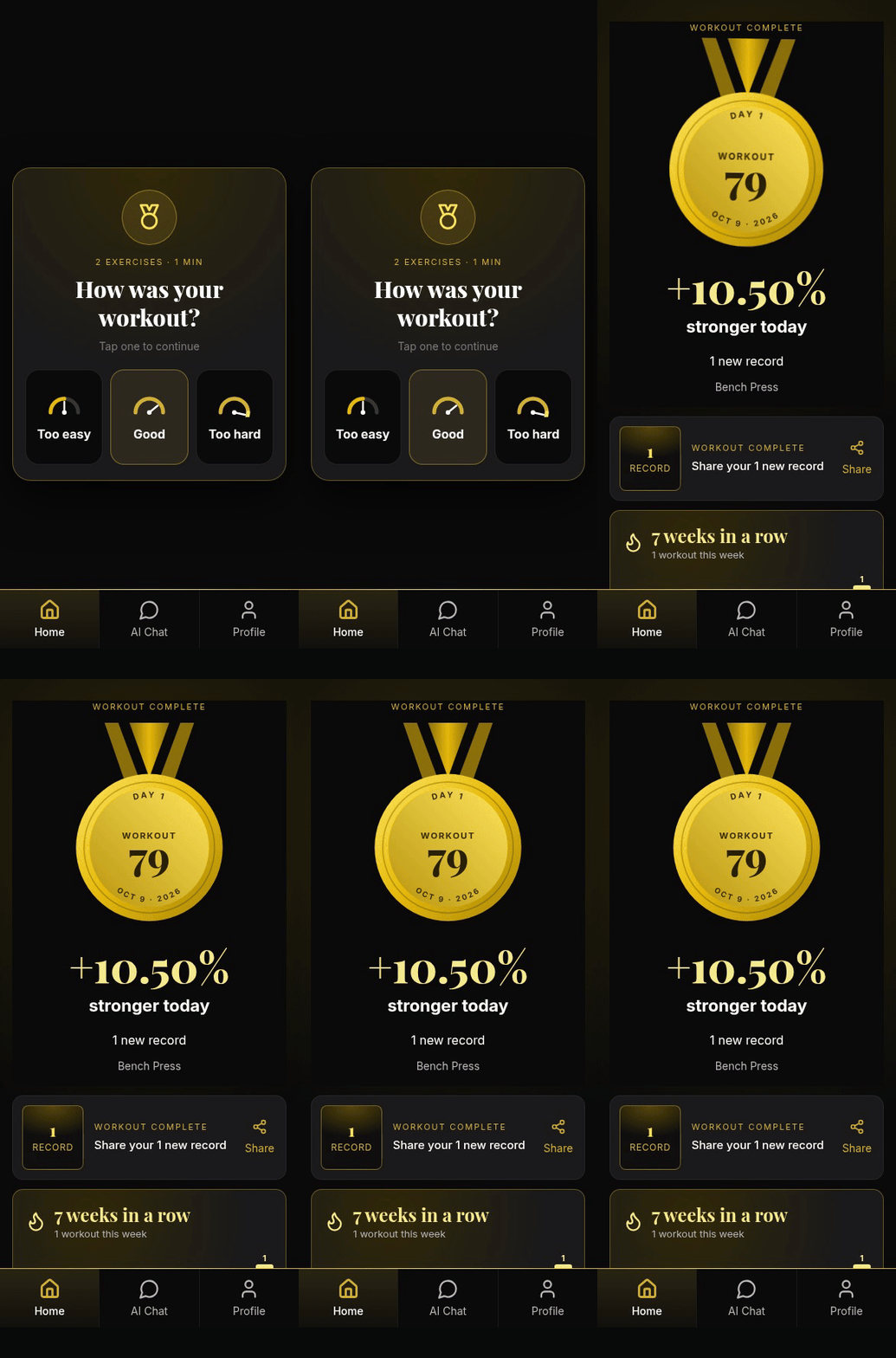
Finishing the full workout gives you a different view. The workout summary brings your lifts, records, streak, and training volume together, so you can look back on the session as a whole.
The exercise summary helps you understand an individual lift; the workout summary helps you see how those lifts added up across the session. Both make your training easier to review while it’s still fresh in your mind.
Get Ready for Your Next Set While You Rest
Rest time is also preparation time. The full-screen timer puts the countdown front and centre, alongside the reps and weight coming next. You can recover while keeping the next set in view.
For barbell exercises, the plate diagram shows the load, and the plate-change guidance helps you see what to add or remove. That’s particularly useful when the next set calls for a different weight. Optional voice cues can say the change, too.
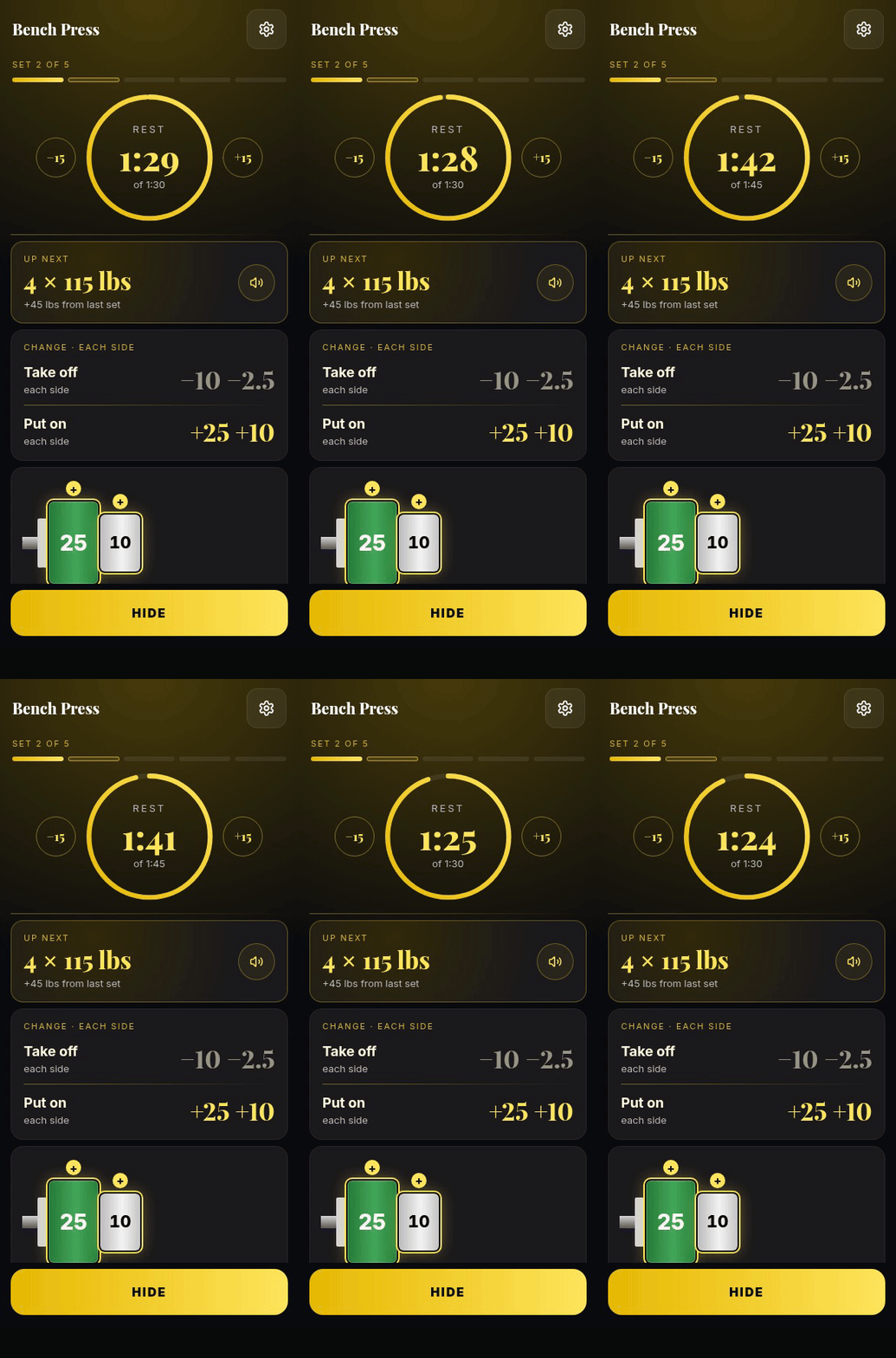
You can also adjust the rest time without leaving the flow of your workout. See how much rest remains, check what’s coming, and get your equipment ready before you lift again.
Keep Your Setup Notes Beside the Exercise
Which seat setting did you use? Where should the pad sit? Small setup details can be easy to forget between workouts, especially when you use several machines.
Add a sticky note to the exercise so the reminder is there when you need it. You can also attach one photo, which is useful when a picture explains the setup more clearly than a few words.
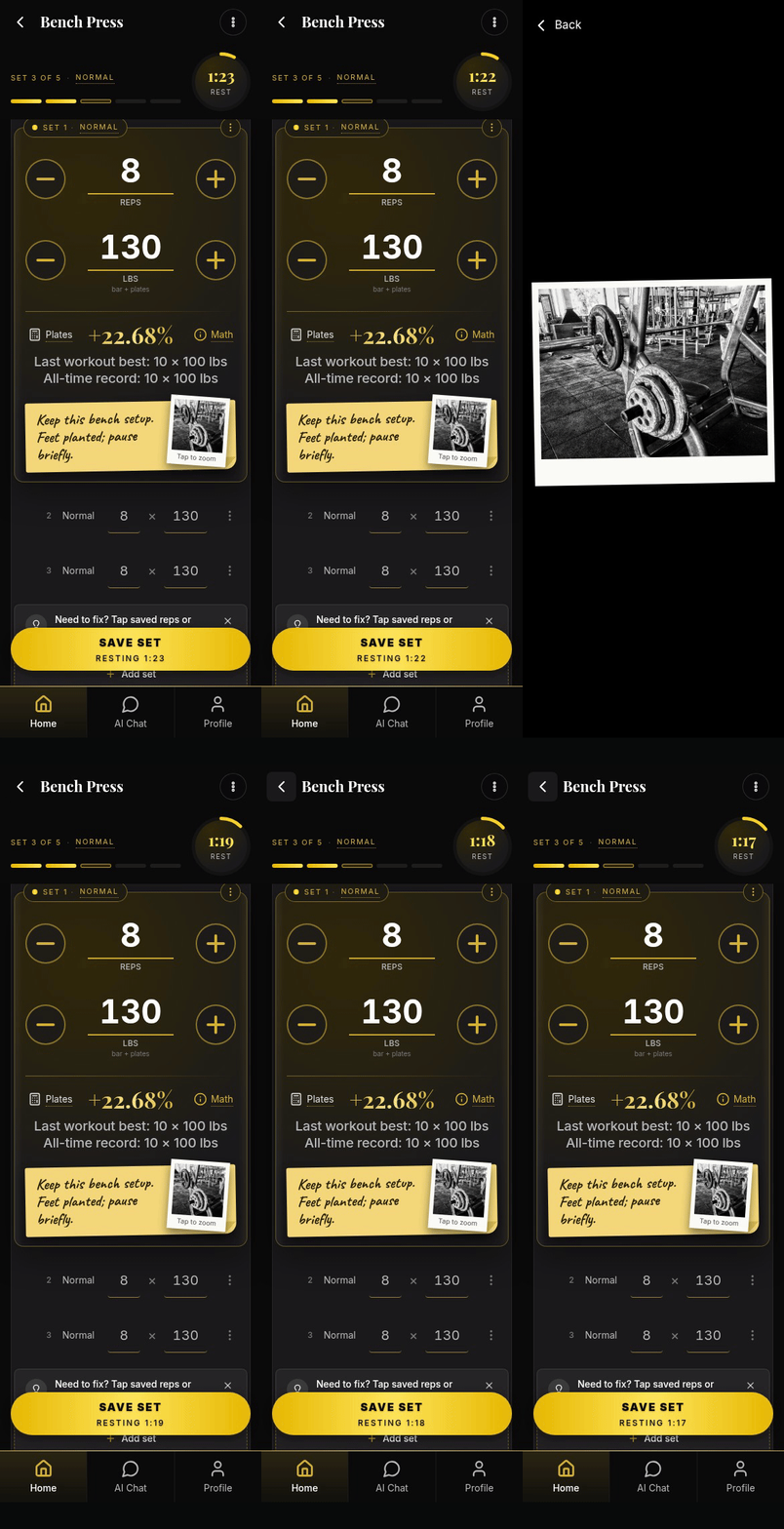
Photos stay on the device where you add them. They don’t sync between devices, so add your setup photo on the phone or other device you normally use for that exercise.
Choose the Session That Fits Today
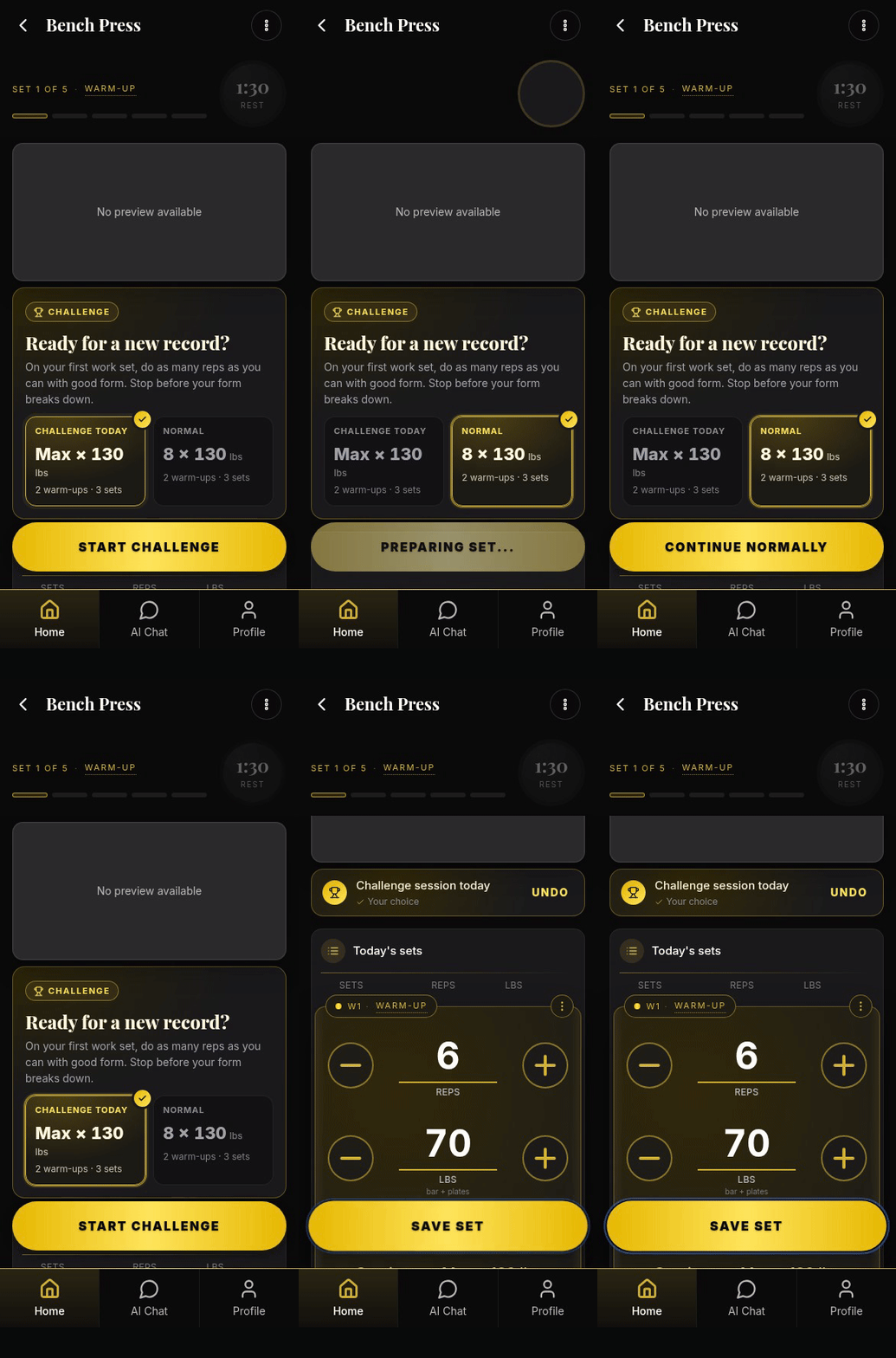
Some days, you want to change how you approach an exercise. The exercise menu gives you manual Deload and Challenge choices, putting those options within the workout.
Choose Deload when you want to take a deload yourself, rather than waiting for an eligible recommendation to offer it. The walkthrough below shows where to find it.
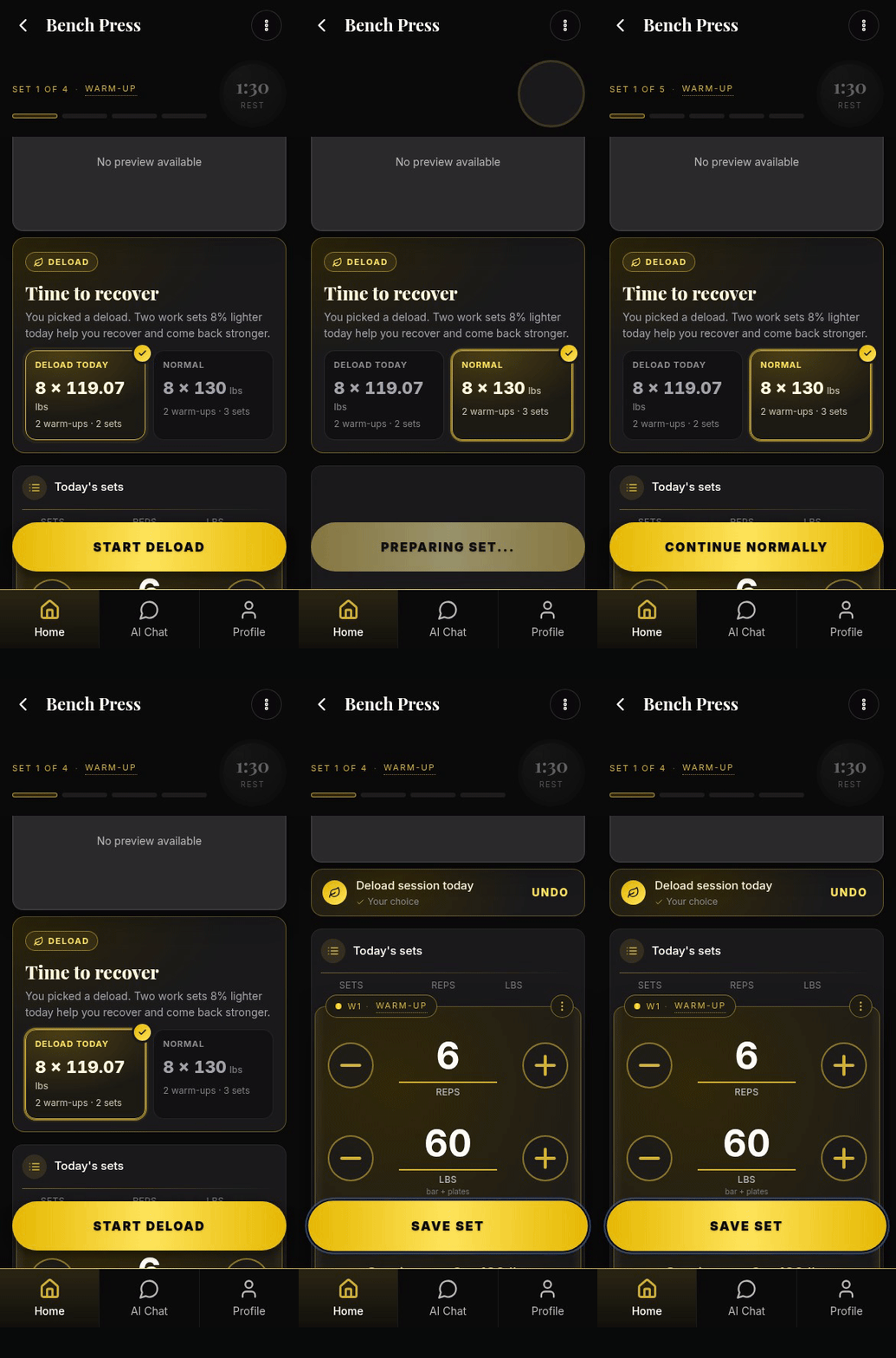
Challenge is available from the same menu. Having both choices together makes it easier to find the session option you want while you’re training.
After a training break, eligible recommendations can also offer a Light session, with the option to return to Normal. These choices depend on your plan and the session.
Your post-workout check-in has a practical role, too. For eligible first-exercise rest-pause sessions, answering “Too easy” or “Too hard” can adjust the number of sets next time.
Coming Next: Your Progress, Together on Home
We’re developing a redesigned Home that brings more of your training progress into one place.
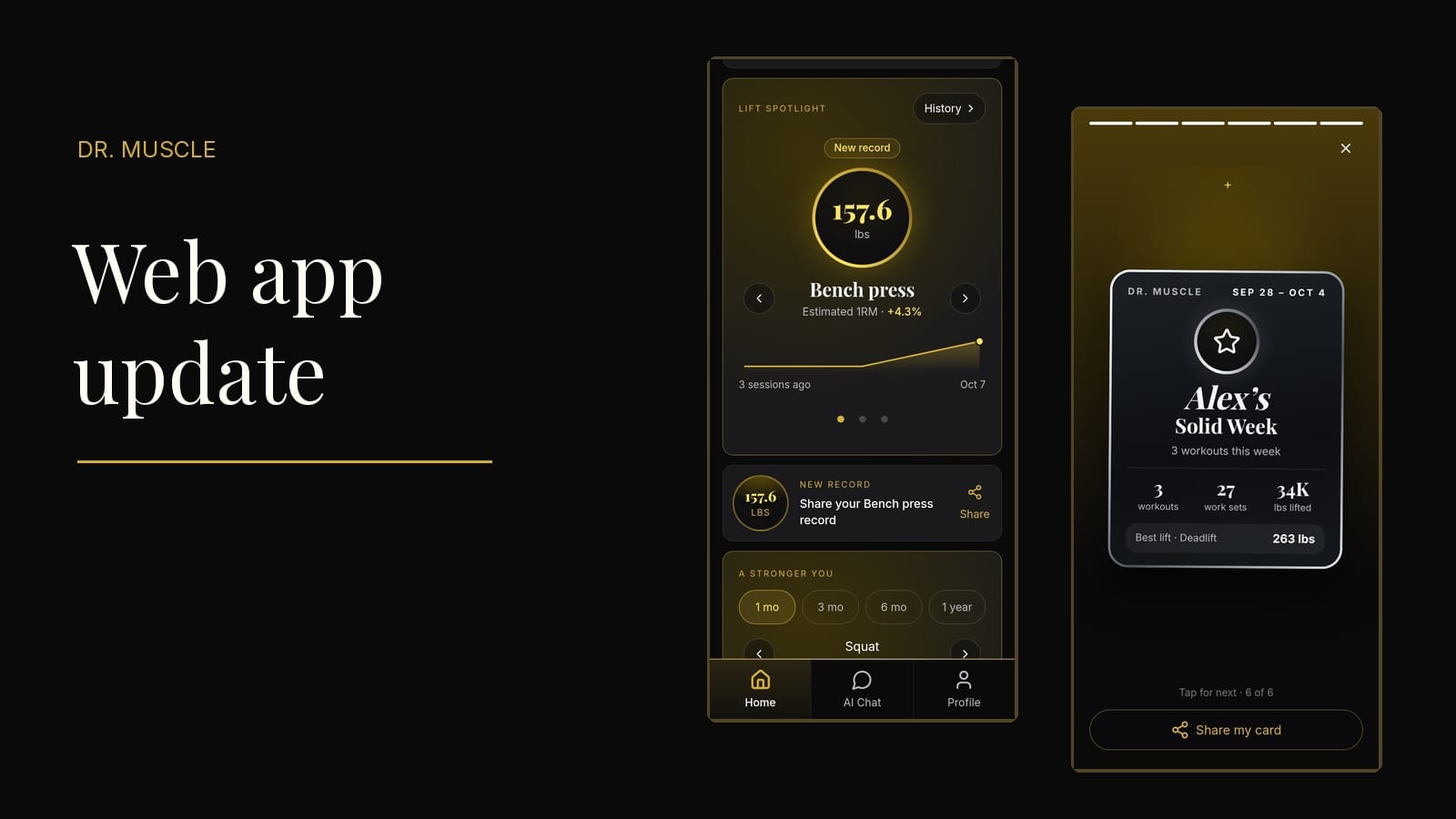
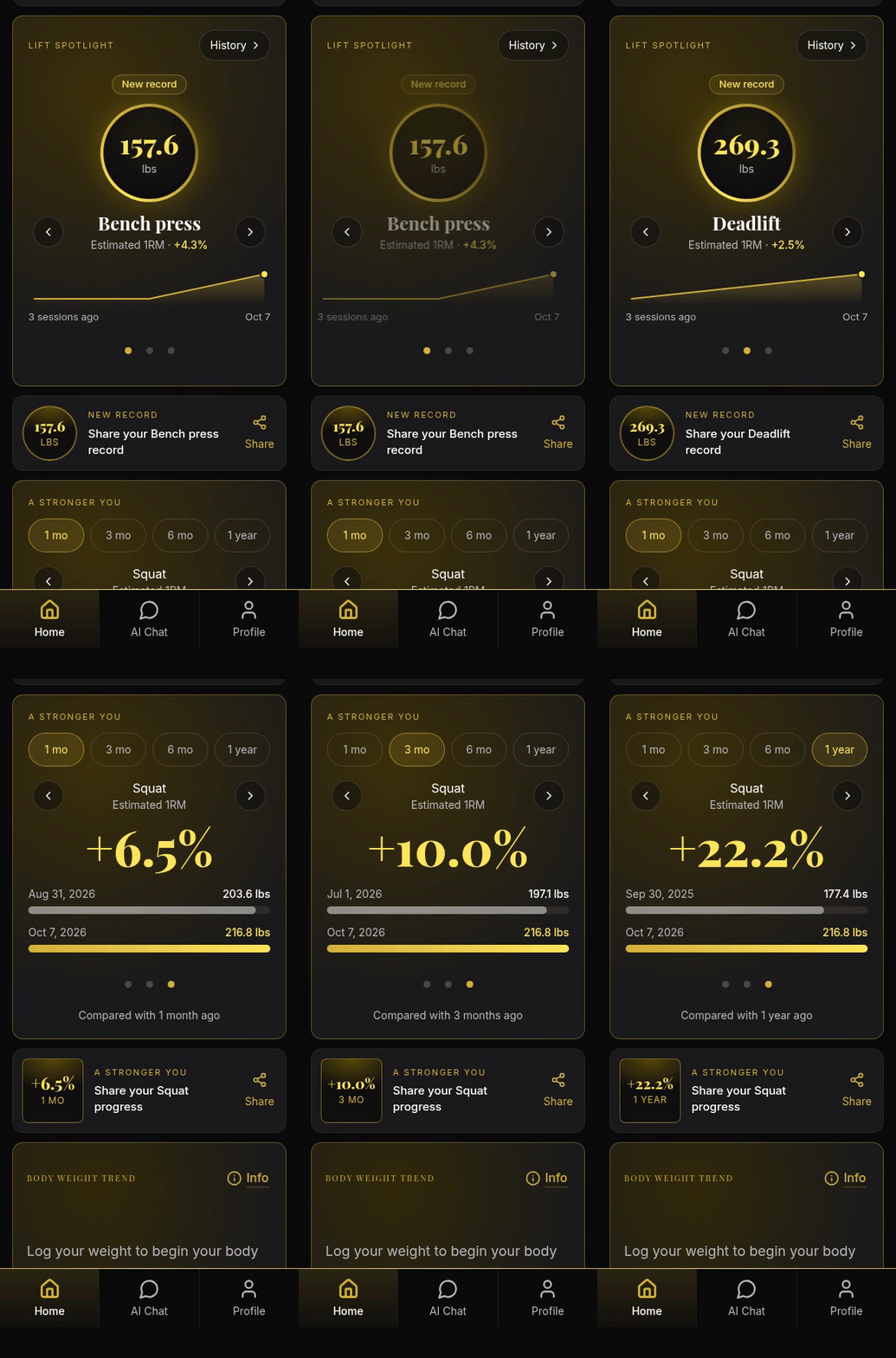
Lift Spotlight lets you move between exercises and see recent estimated-strength results. A Stronger You looks over a longer period, comparing a selected lift so you can see how it has changed. Those two views answer different questions: what has happened recently, and how far have you come over time?
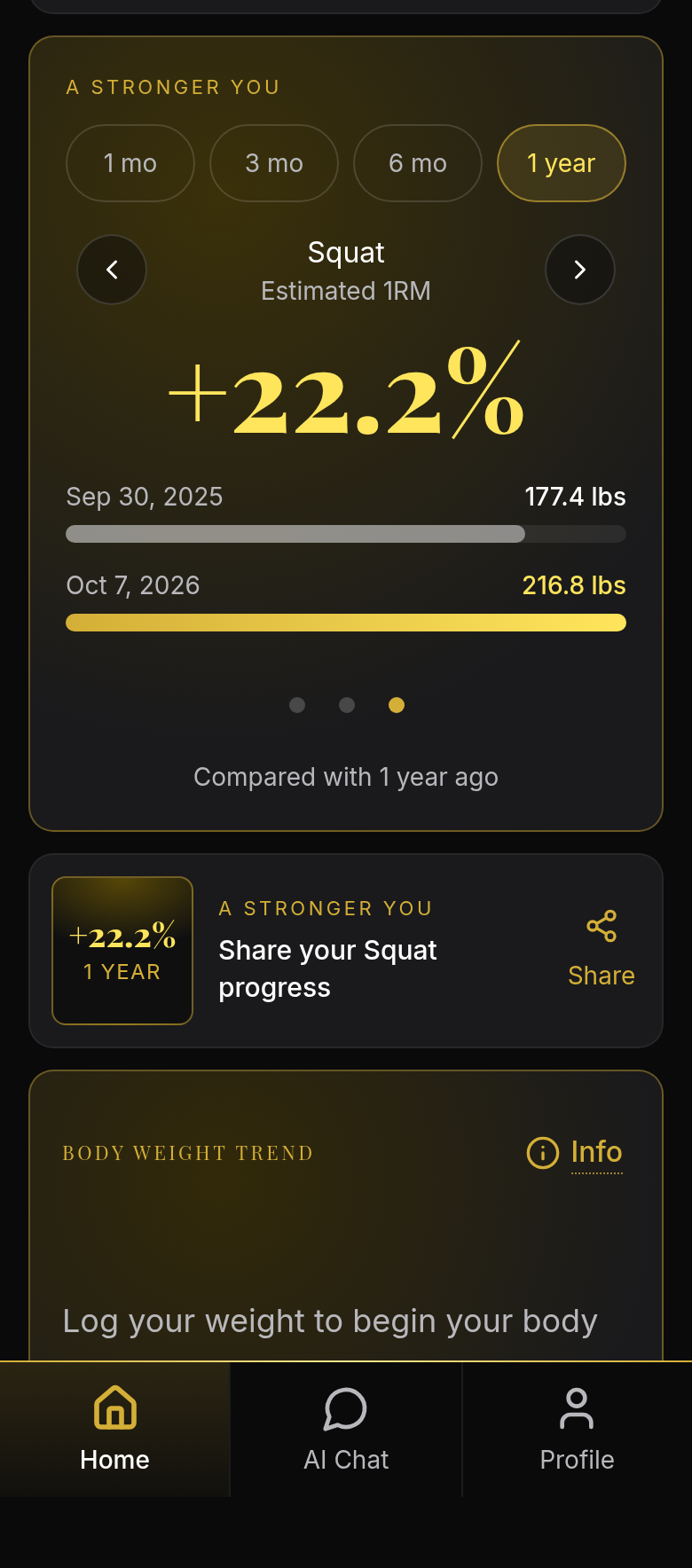
The broader Home view brings those lift sections together with body-weight and body-composition sections for the measurements you log. You’ll be able to look at your lifting alongside those measurements, while keeping the longer-term comparison close at hand.
The GIF below shows how the sections fit together. The aim is to make your progress easier to revisit without assembling the picture yourself from several screens.
Coming Next: Look Back on the Work You’ve Put In
The new period reviews turn your training history into a short, tappable story, bringing together workout counts, training volume, and lift highlights.
A completed-week review gathers the work from that week so you can review it together, rather than opening each workout separately. Where your data supports them, reviews also include streaks, new records, and body-weight changes toward your goal.

Reviews will cover completed weeks, months, quarters, half-years, and years. The annual view gives you a way to look back across a longer stretch of training and revisit the highlights.
A larger review replaces overlapping shorter ones, so you won’t need to tap through several summaries of the same period at once. Share cards give you a way to share the highlights.

Small Changes You’ll Feel Every Workout
Some improvements are smaller on their own but matter throughout a session. Larger workout controls, clearer set progress, and more readable exercise cards make the app easier to use between sets. We’ve also worked on program selection, repeated loading requests, saving, and navigation.
Body-fat and fat-free-mass charts add another view for eligible plans with recorded measurements. Fat-free mass is calculated from your logged weight and body-fat percentage. It isn’t a direct measurement of muscle growth.
Put It on Your Phone
You can add the web app to your phone’s Home Screen and open it from its own icon. That puts Dr. Muscle X within easy reach when you’re ready to train.
Our installation guide shows the steps for iPhone and Android.
How to Install the Dr. Muscle Web App on Your Phone
What’s Available Now?
Exercise and workout summaries, the updated rest screen, notes and photos, and session choices are available now. Some features require an eligible trial or paid plan.
The redesigned Home and period reviews shown here are previews of what’s coming next.
Open Dr. Muscle X for your next workout and tell us which change helps you most.